CHITUBOX Dental
CHITUBOX Dental is a specialized 3D printing version tailored for the dental industry, designed to slice 3D mesh files and convert them into printable formats. It aims to lower the barrier to entry for users and streamline the 3D printing workflow, making the process easier and more efficient. Furthermore, it offers a comprehensive suite of features and customization options that can significantly enhance print quality and minimize the risk of print failure.
Dental Quick Start Guide
Select Dental Mode
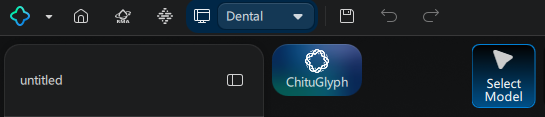
Switch to Dental Mode here. Dental Mode and General Mode do not interfere with each other.
Customize Toolbar
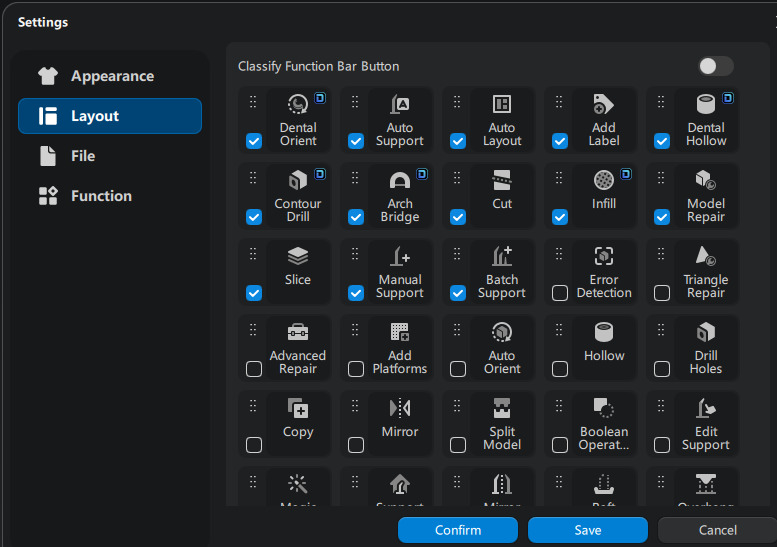
In Dental Mode, users can customize the top toolbar through "Settings > Layout". In this interface, you can choose to show or hide commonly used tools and rearrange the order of tool buttons by dragging and dropping, optimizing the workflow according to personal usage habits.
Select the Application
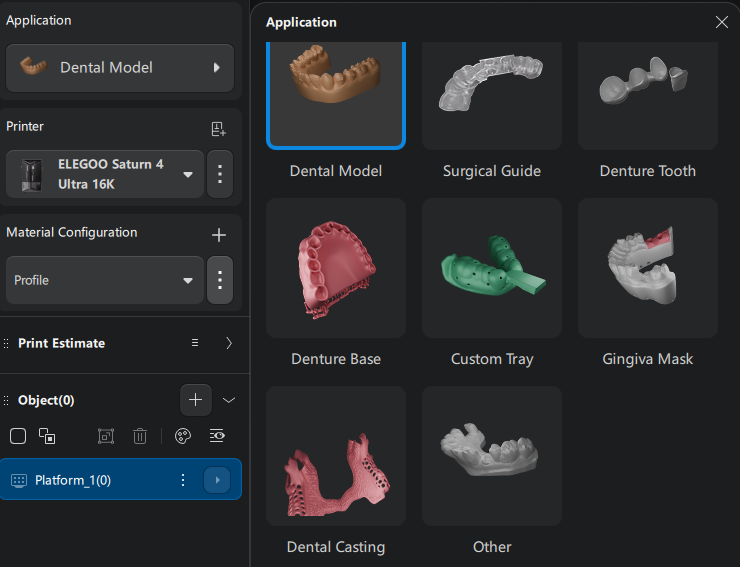
You can select what you need from a variety of applications.
Dental mode has different processing algorithms for different applications. These algorithms directly impact the model preparation results. Incorrect applications may cause preparation errors or omissions. So, always verify that the application matches the actual model type before processing.
Dental ChituAction

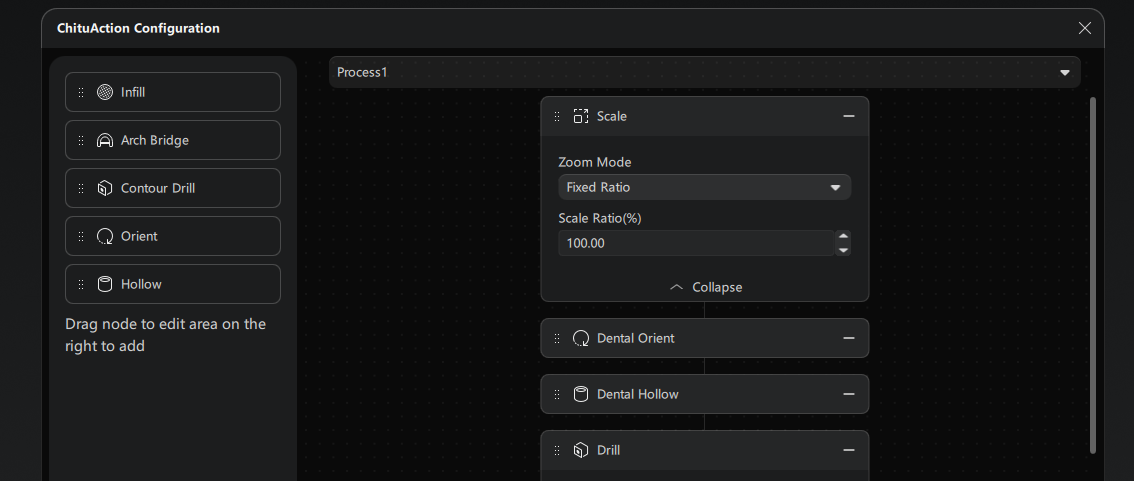
One-Click Automated Workflow:
The automated processing feature simplifies the complex workflow of slicing pre-processing.
Users simply need to import their files and click "Auto-Process" to complete all necessary steps prior to model slicing. This innovative feature significantly reduces the learning curve, enabling newcomers to 3D printing to print with ease.
Multi-Platform Function
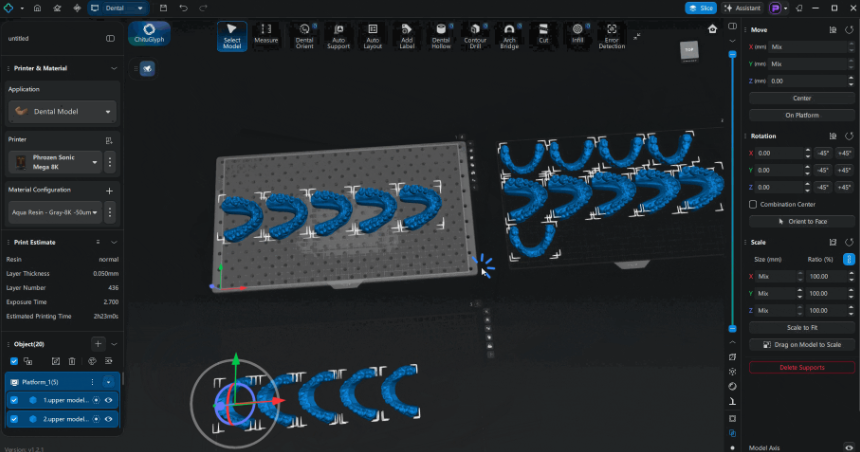
The multi-platform function available since CHITUBOX's initial launch is now equipped in the Dental mode. This feature helps users process large batches of identical models simultaneously, effectively boosting slicing efficiency for dental laboratories. When importing models, users simply load all models to be processed at once; the software automatically creates new platforms and distributes models across them according to layout rules. Dental version members can utilize up to 100 print platforms concurrently.