Management
Click the "Manage" button in the left navigation bar of the software to open the Device Management interface. It consists of two sections: Add Printer and Added Printer.
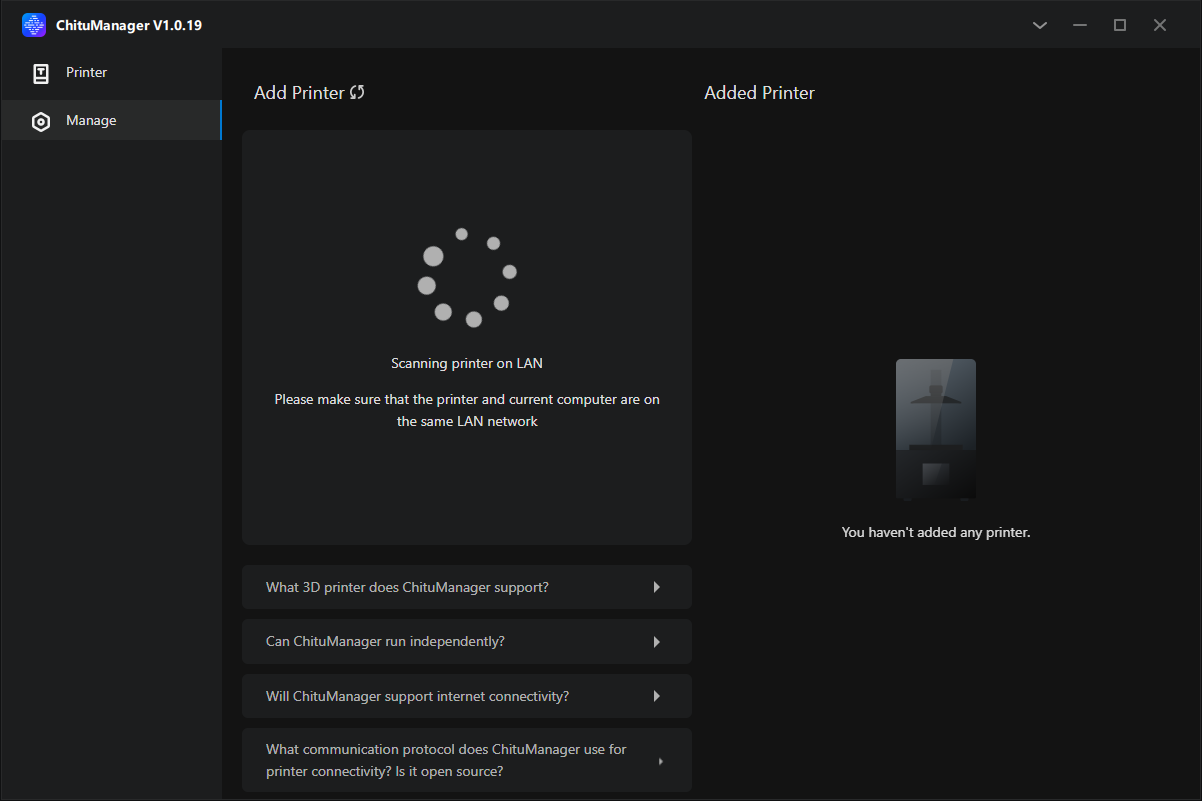
Add Printers
When you open the device management interface, the software will automatically scan all the printers on your local network.
Printers detected but have not been added will appear in the list. Find the device you want to add and click the "Add Printer" button to add it to the "Added Printer" list.
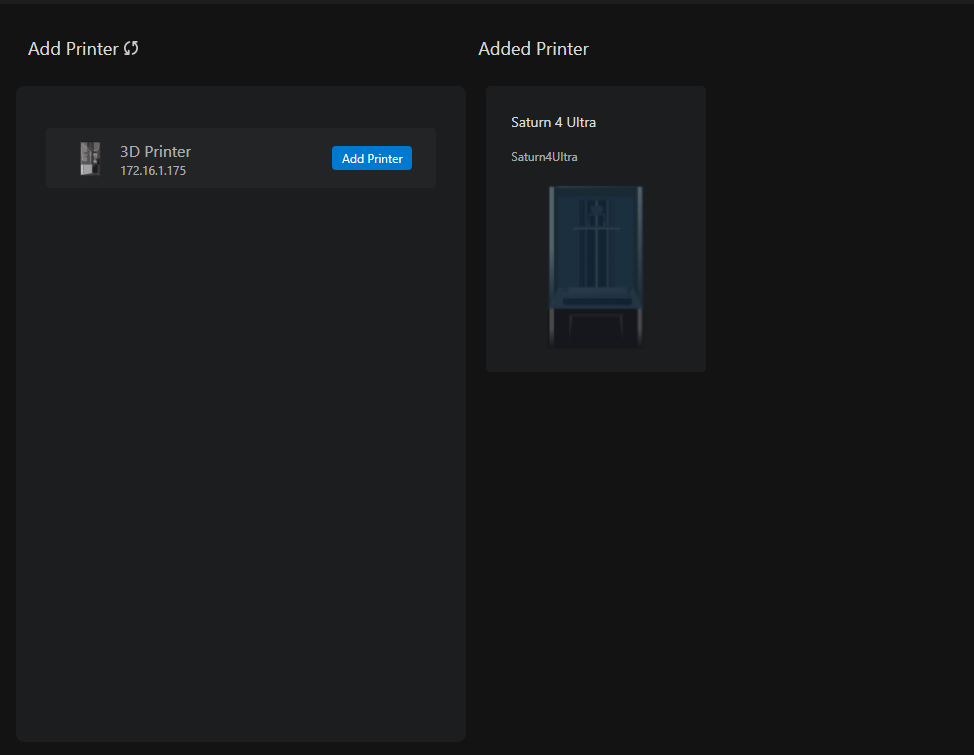
Added Printer
Added printers will appear in the "Added Printer" list.
Click on any printer in the list to open its basic information panel.
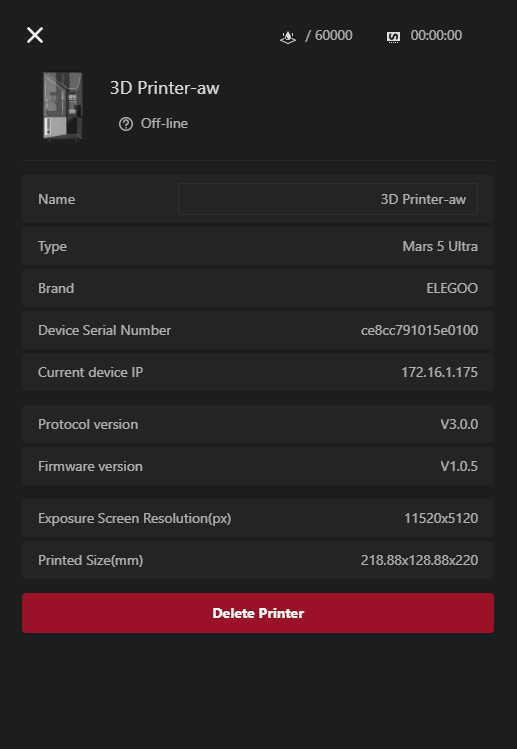
- Name: Customizable name of the printer. Can only be modified when the printer is online.
- Type: The model of the printer.
- Brand: The brand of the printer.
- Device Serial Number: The serial number of the printer.
- Current Device IP: The IP address of the printer.
- Protocol Version: The SDCP protocol version supported by the printer.
- Firmware Version: The current firmware version of the printer
- Exposure Screen Resolution (px): The resolution of the exposure screen.
- Printed Size (mm): The maximum printable size of the printer.
- Delete Printer: Click this button to remove the current printer.
If you log in to your account in the CHITUBOX slicer, all added printers will be stored in the cloud, making it easy for you to manage printers on different computers. Otherwise, your printers will be saved directly to the local computer.